
Intro
0:00 — These new Ember features are enabling me to find patterns across my thinking and to be able to converse and think with ideas that I’ve saved 3 years ago, 5 years ago, and then yesterday. The first thing that I want to talk about is the Read Wise integration.
Readwise Integration
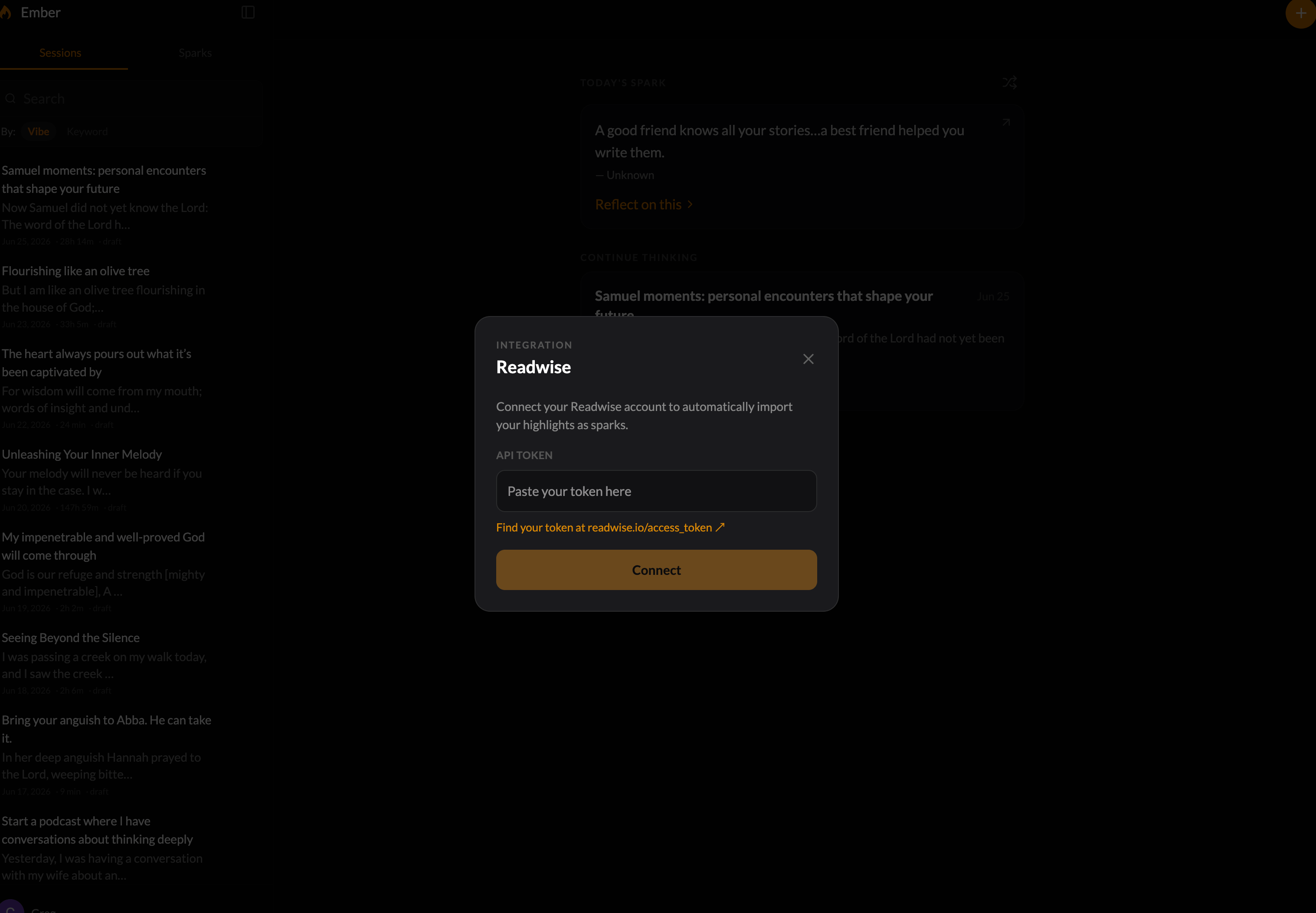
0:18 — So, if you have a Read Wise or Reader account, all you need to do is come up here to the account and then there is a Read Wise link right there and it will look a little bit different like than this. It’ll have an input for a token and a link to get that token.
0:37 — All you need to do is copy and paste the token into this little box and then connect it and every day it will sync the highlights and you can of course manually sync the highlights when you want to. It shows that it was last sync about 5 minutes ago. All of your books that you’ve read and that you’ve highlighted, all the articles that you’ve read and highlighted can live inside of Ember in the Sparks library so that you can think with them so that they can be resurfaced and bubbled up into thinking sessions.
Export All Sparks & Sessions
1:08 — Next, we have the ability to export all Sparks and sessions. What this does is allows you to take everything that is in your Sparks library and everything that is in your sessions, all your thinking sessions that you have can be exported into a markdown file which is just a plain Jane text file, right? Which is just universal across the board. So if you ever need to export everything, there’s an option to do that.
Stoke With a Question
1:37 — The next feature that I want to talk about is an interesting feature. I thought about it when I started first building ember and I almost implemented it then I decided not to and then recently I brought it back. Uh so it’s the ability to stoke a thinking session with a question. So in Ember you have on the left hand side on the desktop version right here you have all of your thinking sessions. When you start a thinking session, you are intentionally wanting to think about and write about an idea. Whether that’s a spark from your library or it’s just an observation that you have, just a thought, maybe you want to journal about something, you want to think through something, right? So, you start a it’s almost like a conversation. If you kind of look here, that’s what it looks like is a conversation. Well, it starts with a a spark, something that is like what I call an arrow. It’s pointed and it pierces and you so you respond, right?
2:38 — So, this is my response. And for a while, I had the ability here. See here at the bottom, I’m going to move my screen over here. At the bottom, we have three options. We’re going to go over session in a little bit, but for a while, it was just stoke with a spark. Meaning, if I wanted to have like the Spark library kind of chime in and and add another Spark that’s related to what I’ve been thinking about, um, I could click that and it would instantly bring up a Spark. So, I’ll do that right now so you can see it. So, it’s looking through this entire conversation right here, and it’s going to find the most related Spark from my Spark library, which again, if you integrate Readwise, will have all access to all of your highlights from all the books that you’ve read over the years. Okay. Now, what I added was the question feature.
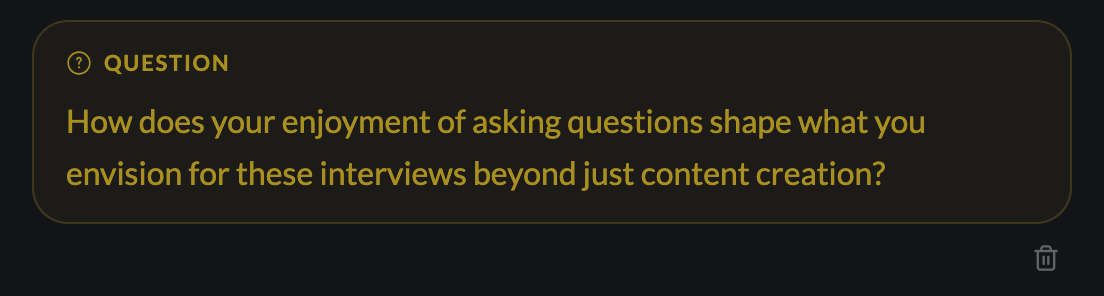
3:31 — And the question feature, it is another way to stoke the thinking session. Meaning, it is a way to turn the rock over to get you to think from a different perspective, to go deeper into what you’re thinking about. So, let’s look at a few examples right here. Um, okay. So, one of the thinking sessions that I had was it’s titled Start a Podcast where I have conversations about thinking deeply. This is something I’ve just been thinking about. So, I started with my thoughts. You notice the other thinking session started with a spark. This is still what I consider a spark. Something that starts the fire, starts the conversation, starts the session. Um, and then we have ways to stoke it further. So, this is the question that came up. When I hit this button right here, the question button, it’s going to look through the entire conversation, the thread, the con, the session right here, and it’s going to surface a thoughtful question that will get you to think deeply.
4:34 — So, the question was, how does your enjoyment of asking questions shape what you envision for these interviews beyond just content creation? It allowed me to go even further than my initial surface level idea of I want to start a podcast interviewing and just talking with other deep thinkers to see how do they think deeply, right? And it got me thinking a little bit more. And then while I hit a related spark uh related spark button right here and it showed up with a quote from one of the directors or writers at Pixar, right? When we’re making a movie, it takes you places, unexpected places, which is what I love about the creative process. If I knew exactly what I was doing when I started making a movie, there’d be kind of no point in making it. I discover so much along the way. And this has to do with me talking about how I love conversations. I love that they can go anywhere, right? So, it kind of stoked uh this thinking session even further. But you can see how this question feature is is really helpful.
5:39 — Just to show you again what it looks like. If I hit question, it’s going to show it’s going to look through again this whole conversation. Here’s the question. What do you think you might discover about yourself through these deep conversations that you haven’t confronted yet? Now, you notice I have this shuffle icon and a trash icon. So, if I can delete it if I’m if I don’t want to answer a question or if I don’t want to I just don’t want to have the question right now, but I can shuffle to another question. It’s going to shuffle to a different type of question. So, here it is. What do you hope to discover about yourself through the conversations you plan to have with others? I can shuffle again. How do you see the tension between your desire for collaboration and the need for personal insights in these interviews? So, it gets you to think, right? It’s like somebody who is sitting across the table who’s not going to give you advice, but rather offer up a question, which gets you to continue to think. It’s almost like a coach, which is just super cool in my opinion. If what I’m sharing resonates with you and you want to try Ember, uh I did leave a link below for you to try it out. There’s a 14-day trial. You can integrate your Read Wise and begin thinking sessions, unlimited thinking sessions inside of that two weeks that you can try it out to deepen your thinking to see patterns across your your own thoughts and ideas. So, try it out. The link is below.
Related Sessions
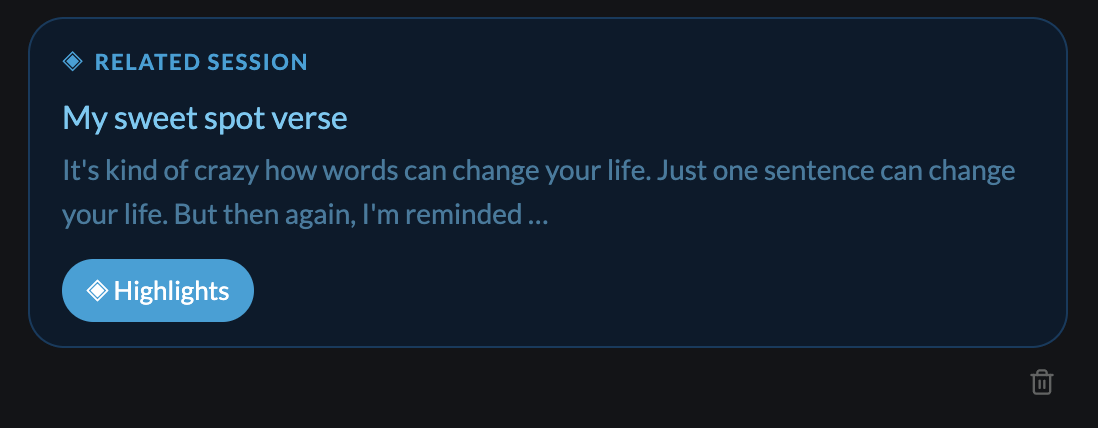
7:06 — The other thing while we’re at it right here, cuz you might notice there is a related session now, this blue box, and I’m trying to make the colors similar to like what a fire looks like, right? So, you’ve got the orange, you got the yellow, you got the blue. This related session is is interesting. Um it has to do with this button right here. And the idea behind it is that there are times whenever you want to see the connections between your thinking sessions, right? So I have these different thinking sessions right here. And I’m like, okay, are there are there connections between them? Can I see patterns of thought? So this related session feature here allows me to see the patterns allows me to see the connection between the thinking session that I had about maybe a Bible verse two weeks ago now with a thinking session that I’m having today about maybe starting a podcast. Okay.
8:05 — So we are now in a different thinking session. This is called unleashing your inner melody. This has started with a thought that I had uh about a conversation that I had with my kids. But at the bottom here, I used the related session and it came up with this other session right here called listen and reveal on friendship. Now I can click this little highlights button and what it’s going to do is look through the conversation. It’s going to look through this session right here, the listen and reveal session, and find highlights. And these highlights are my specific thoughts that I had in this other thinking session that are related to this session. So, as I go through these highlights and I’m already fresh on this thinking session about your inner melody, I can look at it from that perspective and start to see the connections, right? And if I wanted to, I can go into the other session and look through the whole thing. And I have a way to get back as well. You can do this multiple times. So if you want to see like what’s another related session, I can click it again. Now I have this uh other related session navigating my dual commonplace books. So I’m like, okay, what like what are the things in there that might relate to what I’m talking about with as it relates to this inner melody? I click it and it’s going to start loading these these thoughts that I have and these are again what I actually said meaning like let me open the session real quick. So I said before you have related sparks then you have related sessions and you have questions. These are the three uh things that you can do to stoke a thinking session in Ember. Well, then I have all these other thoughts that I have, right? All of this is are my own thoughts that I added to the thinking session. So, when I say that the the highlights are my thoughts, it is looking at just those. It’s not looking at the other sparks or the questions. It’s just all of these are my initial thoughts which allows you to truly see the patterns and thoughts and connections between your own thoughts, right? Um, so navigating my dual commonplace book, I could go through this and begin to um try to figure out what does this have to do with with what I’m thinking about with the inner melody and how can I take what I have in navigating my dual commonplace books and use it in this thinking session or what what what can I learn, you know?
Vibe Search
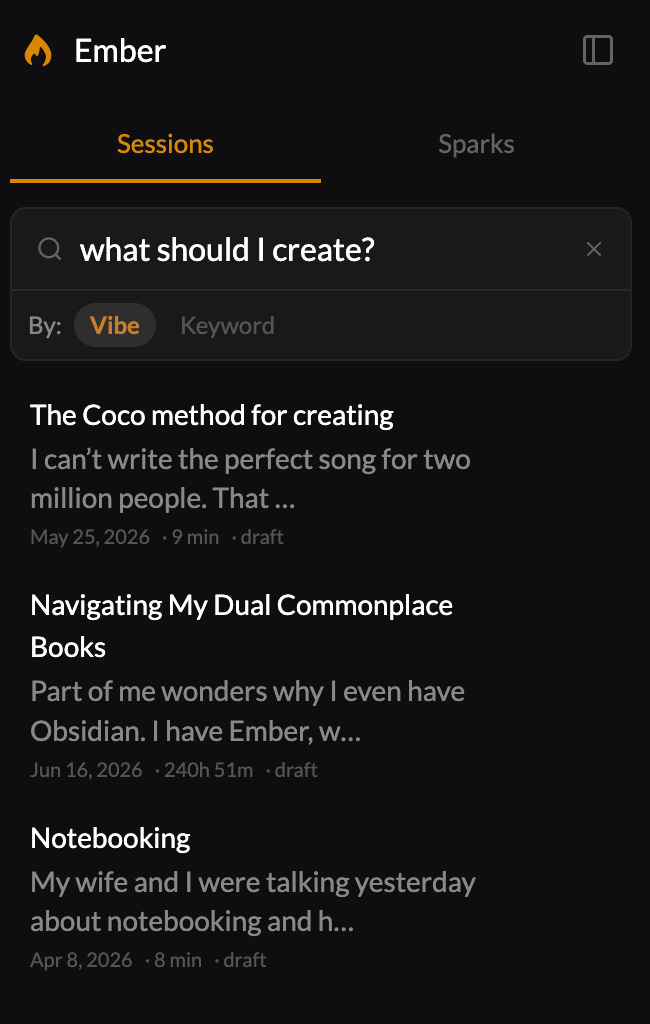
10:49 — All right. Lastly, we have the vibe search, which allows you to search by meaning instead of just keyword search. So, you can see in the in the top lefthand corner right here that I have um the search field and then also it’s by default set to vibe, but then there’s keyword too. So, I can flip back between them. For example, if I want to just search like a question like how should I create? Vibe search is a way for me to search in the way that I think uh and the way that I would speak and the way that I would phrase things. It’s not like I have to have this very specific keyword or I have to remember the exact title of a thinking session. Right? So how should I create? You can see that there are three thinking sessions that come up. Now I can do the exact same thing for sparks. how should I create? And it’s going to search through and look for the sparks that are related to that question. Now, I could even change it by one word and say like what should I create? And it comes up with a few different things, right? The the one word change from what into how two different very different questions, but the vibe search will look at that and see, oh, this is a different question and give me related answers. I could come over here to Sparks and be like, uh, I I know I had a quote about like spending time with trees, but let’s see. Spending time with trees, what that pulls up. So, it pulls up this obvious one of time spent amongst trees is never wasted time. But then there’s other ones. Octo October is about trees revealing colors they’ve hidden all year. People have an October as well. If you spend time chasing butterflies, they will fly away. Adopt the pace of nature. Right? Like it’s just it’s just crazy. Now I can change it to keyword and it’s going to start looking for keywords, right? Trees and time. This still is useful specifically if I have like a like an a specific quote or a specific session that I’m thinking for or that I’m looking for, I you know, I want to use the keyword so that I can find it. But if I’m just like in like a serendipitous like kind of mode where I am wanting to spontaneously kind of just see the sparks that I have or see the sessions that I’ve had related to the question or to the phrase that I’m typing in to the search bar right here. Then I can use the vibe. But you can see with the keyword here, there are a few keywords here that it’s going to bring in trees. This is you know time time bending is not merely of spending time. It is obviously this is with time but it has nothing to do with trees. That’s the difference between vibe search and keyword search. It’s just looking at the individual keywords and trying to find the best match. I could say like the value of friendship and I have three different thinking sessions that I can look through. as it relates to the value of friendship, your your inner melody. We were just on that one. The value of of saving ideas. Like I’m curious like what what does that have to do with friendship? So I could look in there and and begin to dig in and see what what the val or what the the connection is there.


